Deciding between a tactile mechanical keyboard and a quiet membrane keyboard? We compare discrete metallic switch contacts, Hall-Effect magnetic sensors, actuation travel points, N-Key Rollover (NKRO), typing acoustics, and 100-million keystroke durability.
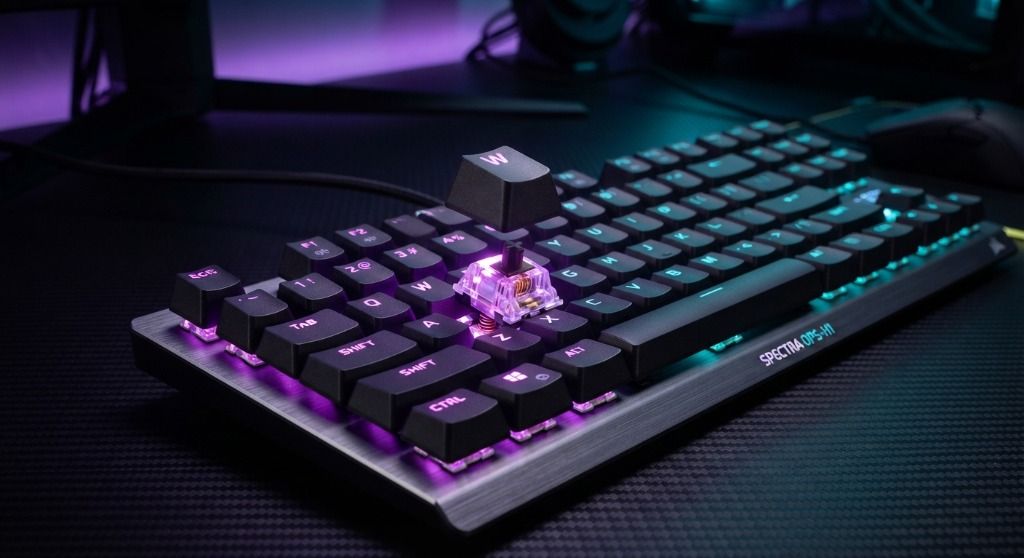
Choose a Mechanical keyboard for gaming, daily coding, and heavy writing productivity. Choose a Membrane keyboard for quiet open-plan office spaces, children's schoolwork, or strict budgets.
Both Mechanical Keyboards and Membrane Keyboards are great options, but they work differently and offer distinct advantages.
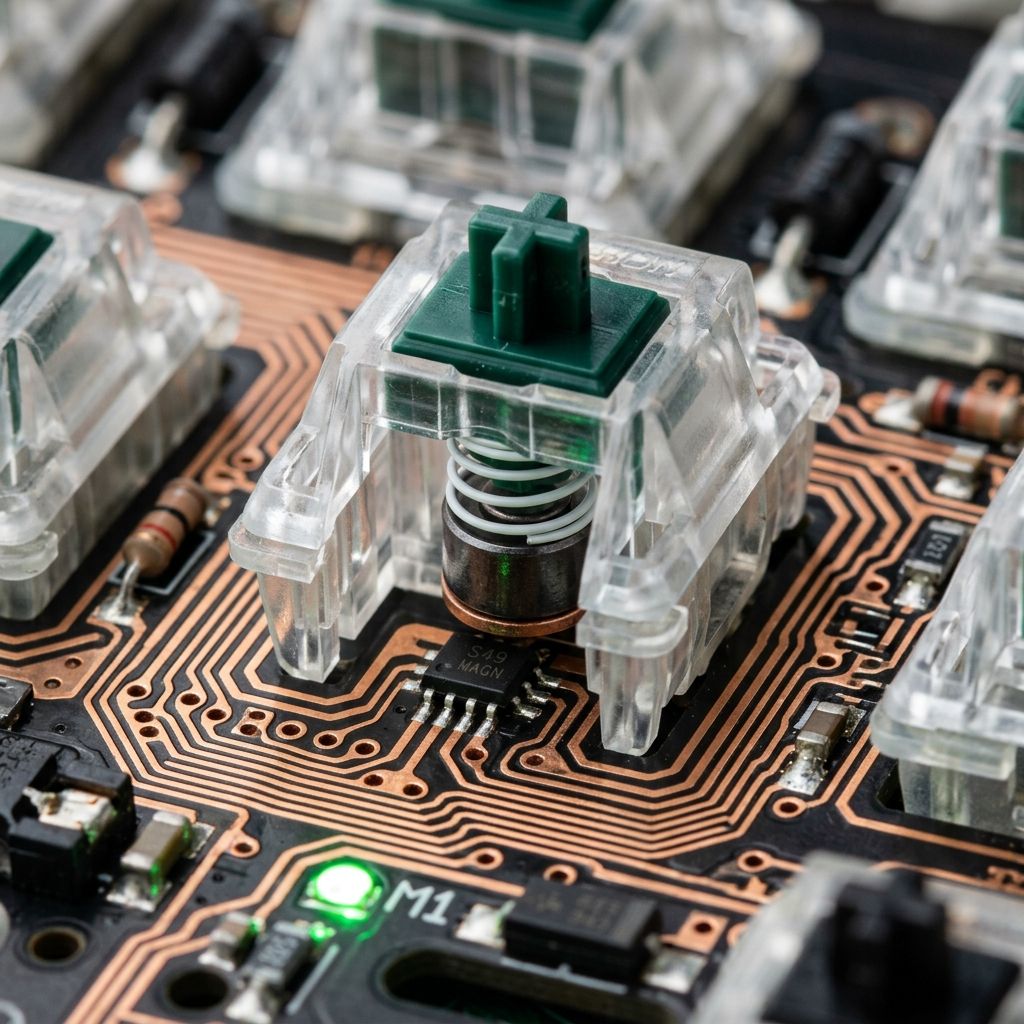
Each key operates via an independent steel spring, mechanical stem, and metallic or magnetic sensor contact.
Keys press down on a continuous silicone rubber dome sheet over three shared laminated circuit traces.
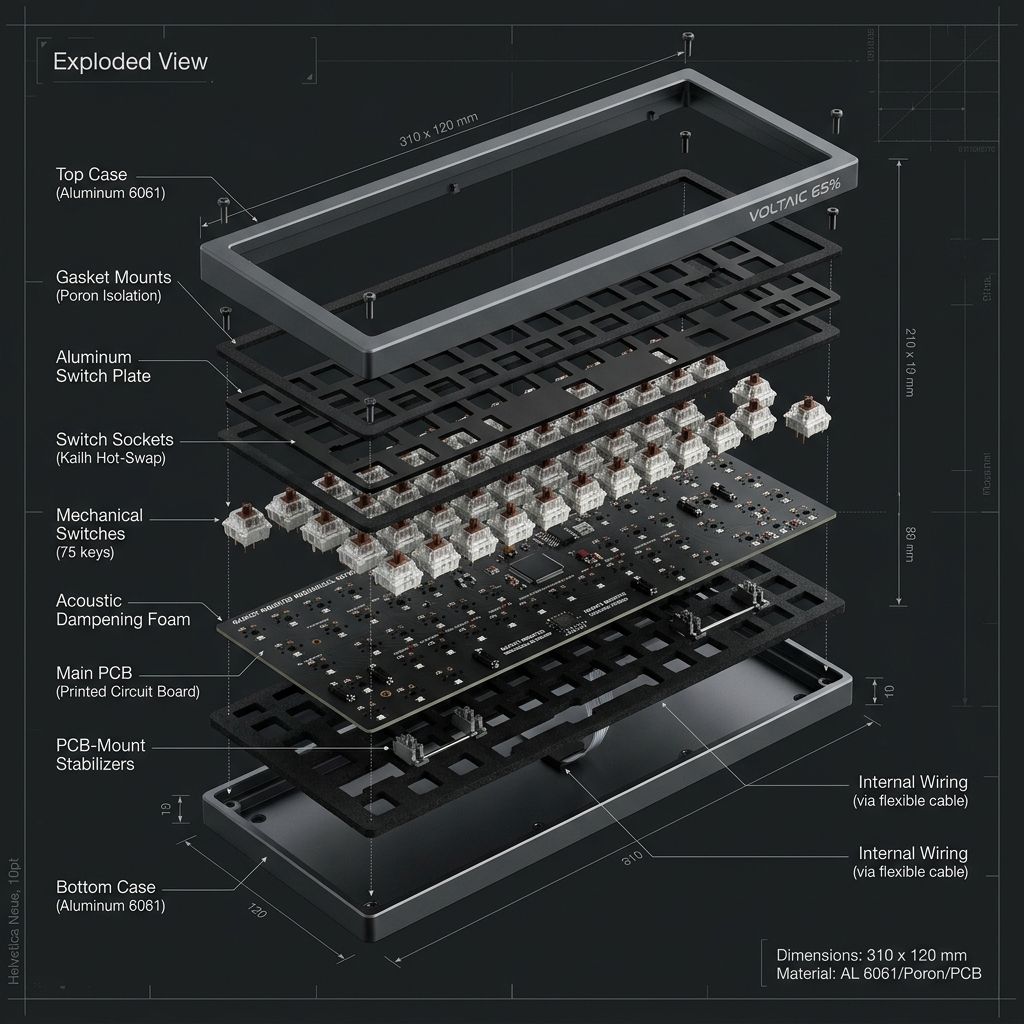
The keyboard typing experience is governed by how a keystroke is physically converted into an electrical input signal. A Mechanical Keyboard houses individual, self-contained mechanical switches under every single keycap. Inside each switch housing sits a precision tempered steel spring, a sliding plastic stem, and either dual metallic leaf contacts, optical light-interrupters, or next-generation Hall-Effect magnetic sensors. In contrast, a Membrane Keyboard utilizes a continuous, molded silicone rubber dome sheet suspended over three laminated plastic film circuit traces.
The defining operational difference is where and how a keypress registers. Mechanical switches register electrical actuation midway through the physical key descent (typically between 0.1mm and 2.0mm of travel depending on switch model). This allows typists to register keystrokes effortlessly without having to bottom out the key against the base plate, significantly reducing fingertip impact shock and carpal tunnel fatigue during 8-hour typing days. Users can choose their exact mechanical profile: smooth *Linear* switches for rapid gaming, crisp *Tactile* switches with a physical bump for typing feedback, or audible *Clicky* switches. Membrane switches require pressing the key all the way down to 3.5mm to 4.0mm, completely collapsing the rubber dome to bridge electrical contacts, resulting in a spongy, imprecise feel.
Because every key on a mechanical keyboard features its own dedicated diode and individual electrical trace path on the PCB, mechanical boards provide true Full N-Key Rollover (NKRO). Every single keypress is registered independently with zero latency, even if twenty keys are pressed simultaneously. Standard membrane keyboards route keys through shared matrix rows and columns; pressing multiple keys at once in fast-paced gaming often causes "ghosting" (unregistered inputs or phantom keypresses), which can ruin competitive gameplay.
Modern mechanical keyboards have evolved far beyond loud, clicky plastic boards. With hot-swappable 5-pin PCB sockets, pre-lubricated switches, multi-layer Poron acoustic foams, and silicone gasket mounting, a modern mechanical keyboard can sound as soft and deep as raindrops (the coveted "thocky" sound profile). However, if you work in a quiet open-plan office environment where any mechanical bottom-out noise is prohibited, or if you need a lightweight, spill-resistant budget board for a kitchen or workshop terminal, a quality membrane keyboard provides functional everyday typing at a fraction of the cost.
Hall-Effect magnetic mechanical switches offer 0.1ms Rapid Trigger resets and 8,000Hz polling for instant direction changes in competitive shooters.
Membrane keyboards dampen key bottom-out vibrations, allowing you to type notes on conference calls without disturbing colleagues.
Custom mechanical tactile switches provide distinct physical feedback, reducing typing typos and hand fatigue during 10,000-word daily writing sessions.
Membrane keyboards offer an affordable, durable solution that easily survives accidental coffee and water cup spills.
If you spend multiple hours a day typing, coding, or gaming and value crisp tactile confirmation, customizable ergonomics, and a 10-year lifespan, a Mechanical keyboard is one of the most rewarding hardware upgrades you can make. If you work in a sound-sensitive environment, need spill protection, or want a reliable basic board under $30, a Membrane keyboard remains a dependable option.
Linear switches (e.g., Red switches) move straight down smoothly with zero resistance bump, making them the favorite for fast-paced gaming. Tactile switches (e.g., Brown switches) feature a subtle physical bump at the actuation point to confirm your keypress without noise. Clicky switches (e.g., Blue switches) produce both a tactile bump and a distinct audible click sound for typists.
Explore related technical deep-dives and actionable buying guides.
